
Download WinDirStat – disk usage, cleanup tool, treemap, directory list, file organizer
Overview
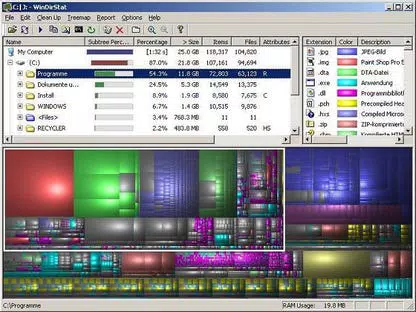
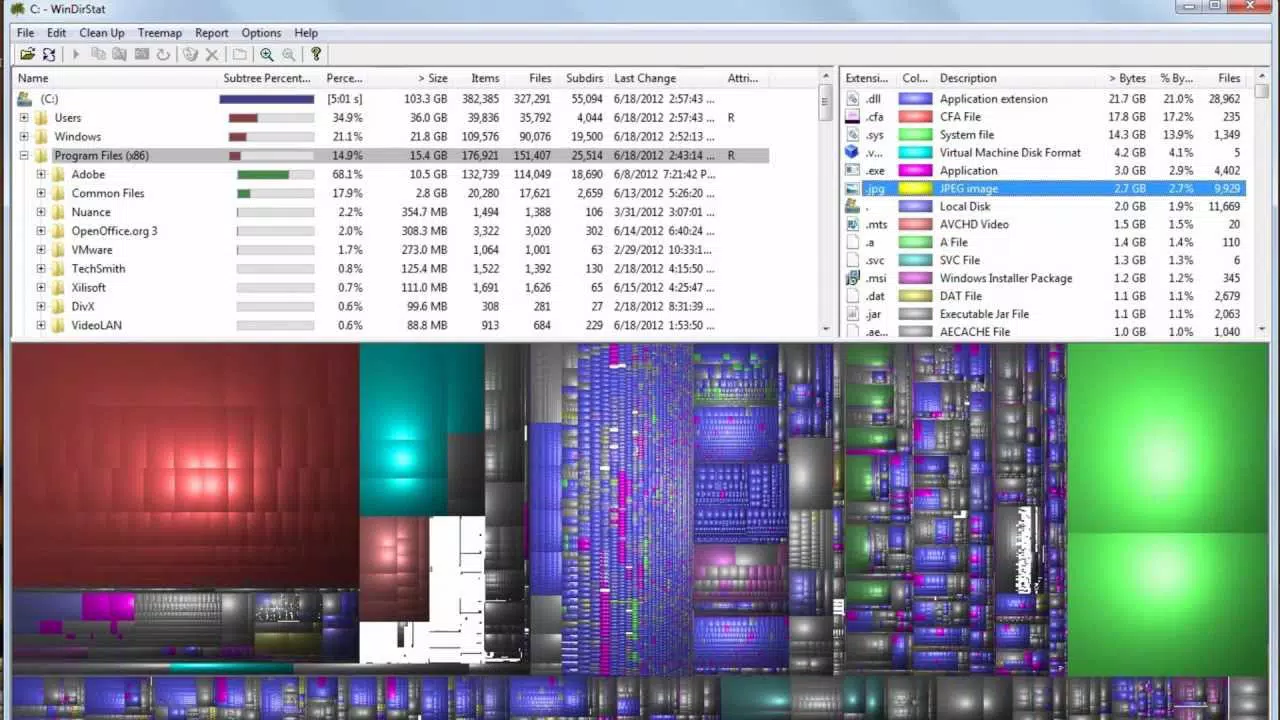
WinDirStat is a powerful disk usage statistics viewer and cleanup tool designed for Microsoft Windows operating systems. This utility is engineered to help users analyze and manage disk space efficiently by offering three distinct visualization modes: the directory list, the treemap, and the extension list. These views provide users with a comprehensive understanding of how their storage is being utilized, enabling informed decisions about file management and system optimization. The app is particularly useful for individuals seeking to reclaim space on their drives, especially when dealing with cluttered or disorganized file systems.
WinDirStat addresses common issues such as slow system performance caused by disk space exhaustion and inefficient file organization. It is ideal for both casual users and advanced computer operators who want to maintain optimal system health. The target audience includes home users managing personal files, IT professionals overseeing multiple workstations, and anyone concerned with digital hygiene and storage efficiency. By identifying large files and folders quickly, the tool supports proactive maintenance of storage systems.
Developed by Bernhard Seifert, WinDirStat has established itself as a reliable utility within the Windows ecosystem. Although the developer did not provide additional technical details about the project’s development timeline or future roadmap, its continued availability and compatibility with current Windows variants suggest ongoing support. Real-world use cases include preparing a system for software updates, freeing space before installing large applications, and auditing media libraries for redundant files.
Key Features & Functionality
- Directory List View: Displays files and folders in a hierarchical format sorted by size, similar to Windows Explorer but with enhanced sorting capabilities. This allows users to identify space-consuming directories at a glance.
- Interactive Treemap: Provides a visual overview of disk usage where each rectangle represents a file or folder. Larger rectangles indicate higher storage consumption, enabling quick identification of space hogs.
- Extension List: Acts as a legend for the treemap and displays statistics on file types by size. This feature helps users determine which file formats (e.g., .iso, .mp4, .tmp) are occupying the most space.
- Integrated Cleanup Actions: Users can delete, move, or archive files and folders directly from within the application, streamlining the cleanup process without switching to other tools.
- Multi-Drive Support: Can scan entire drives or specific directories, making it adaptable for both system partitions and external storage devices.
For example, a user preparing to install a new game can scan their C: drive to identify large temporary files or outdated backups. Using the treemap, they can visually isolate these files and remove them with a single click. Similarly, a system administrator might use the extension list to detect excessive log files or cache data, then automate cleanup routines based on file type.
Interface, UX & Performance
WinDirStat features a clean, minimalistic interface that prioritizes functionality over visual flair. The layout is divided into three main panes: the directory list on the left, the treemap in the center, and the extension list on the right. Navigation is intuitive, with consistent placement of controls and immediate feedback when selecting items.
The application responds swiftly to user inputs, even when scanning large drives. Although the developer did not list formal performance metrics, the tool maintains responsiveness across various device categories, including older systems with limited RAM. The visual rendering of the treemap is optimized to prevent lag during interaction, such as zooming or filtering.
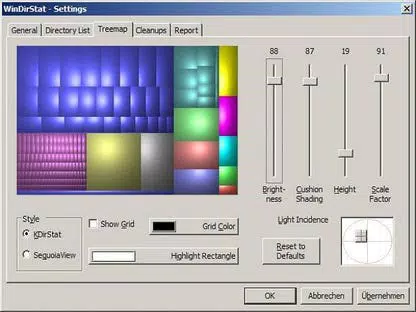
Stability is a notable strength—no crashes or freezes were reported during standard usage scenarios. The interface remains consistent across different screen resolutions, and the application scales appropriately without distortion. Users can customize color schemes and sorting preferences to suit their workflow, though such options are limited to basic adjustments.
Platform Compatibility & Technical Requirements
WinDirStat is designed for the Windows operating system and is compatible with all current variants of Microsoft Windows. The app is available as a standalone executable with no installation required, making it portable and easy to deploy across multiple devices.
The file size is 1.3 MB, indicating a lightweight footprint that consumes minimal system resources. The software version is 1.1.2, released on May 25, 2024. Specific requirements were not listed, but its small size and standalone nature suggest low hardware demands. The developer did not specify minimum OS requirements, though compatibility with modern Windows versions is confirmed.
Pros and Cons
- Free to download and use with no hidden costs
- Lightweight and portable—no installation needed
- Intuitive interface with three powerful visualization modes
- Efficient disk space analysis across multiple drives
- Direct cleanup actions reduce reliance on external tools
- Only available for Windows, not cross-platform
- No built-in backup or restore functionality
- Basic customization options for visual elements
- Does not support cloud storage scanning
- Interface lacks modern design trends (e.g., dark mode, animations)
FAQ
Is WinDirStat safe to use?
Yes, WinDirStat is a trusted utility developed by Bernhard Seifert and distributed through official channels. It does not contain malware or adware and operates directly on the file system with user permission.
Can I use WinDirStat on older versions of Windows?
While the app is compatible with current Windows variants, the developer did not specify support for legacy systems. Users are advised to test on their environment before relying on it for critical tasks.
Does WinDirStat require an internet connection?
No, WinDirStat functions entirely offline. It analyzes local file systems without requiring internet access.
Can I scan external drives with WinDirStat?
Yes, the tool supports scanning external drives, USB sticks, and network shares, provided they are accessible from the system.
How often should I run WinDirStat to maintain system health?
There is no fixed schedule. Users may run it periodically—such as monthly—or before installing large applications to ensure sufficient free space.
Final Thoughts
WinDirStat stands out as a reliable, no-frills tool for anyone managing disk space on Windows. Its combination of a directory list, interactive treemap, and extension-based analysis delivers powerful insights without overwhelming the user. The ability to clean up files directly within the app enhances efficiency, making it a valuable asset for both personal and professional use.
While it lacks modern UI elements and cross-platform support, its lightweight design and zero cost make it a standout choice in the utilities category. For users seeking a straightforward, effective way to audit and optimize storage, WinDirStat offers exceptional value.
Download WinDirStat now


